Get the full bdkki experience on mobile. Cricket betting, lottery, Live Casino — all in one app. bKash and Nagad payments, directly from the app.
Bdkki App — Every Feature in One Place, with the Simplest Design
Get the Full bdkki Experience on Both Android and iOS
Virus-free and safe file
Verified by Apple
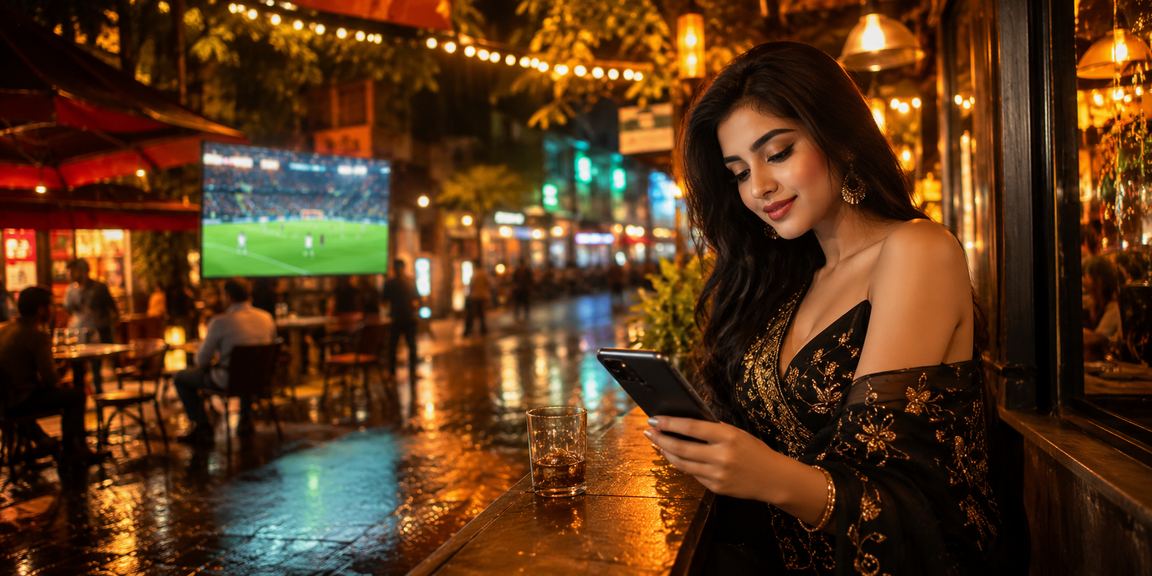
Bdkki App — The excitement of Mymensingh's night market, now on mobile
Mobile usage in Bangladesh is at an all-time high, and most people spend far more time on their phones than on a desktop. bdkki built their mobile app with exactly that in mind — every feature from the website, delivered in a smoother, faster experience.
Once logged into the bdkki app, you get instant push notifications before matches start and during live betting. When odds change, you win a prize, or a deposit is confirmed, you're notified right away — no need to keep refreshing a browser.
The app's interface is fully in Bangla — from the menus right through to the payment instructions. For users who find English difficult to read, bdkki is a much more comfortable experience. The font is large and the buttons are clear and easy to tap.
The bdkki app performs well even on slow internet connections — it stays running on 2G or 3G and keeps core features accessible. A data saving mode is also included with users in rural Bangladesh in mind.

Everything in one app — no need to download separate apps for different features
Get the bdkki app up and running in just 5 steps
Tap the "Download APK" button above. The file will be saved to your phone's Downloads folder.
Go to Settings → Security (or Privacy) → enable "Install unknown apps" or "Unknown sources". This only needs to be done once.
Open File Manager or pull down the notification and tap the downloaded APK file. Then tap the "Install" button.
When prompted, allow access to notifications, camera, and storage. Without notification permission, you won't receive live updates.
Open the app and log in with your bdkki account. If you're new, you can register directly from within the app.
Bdkki – Play on the App Even from the Beaches of Saint Martin's Island
On Samsung Galaxy devices, a "Block this source" popup may appear during installation. Go to Settings → Apps → Special Access → Install Unknown Apps and grant permission to your browser or file manager.
Which is better? Compare and decide for yourself
When handling financial transactions on a mobile app, security is naturally a top concern. Every session on the bdkki app is protected by end-to-end SSL encryption — meaning all data transmitted from your phone to bdkki's servers is fully encrypted.
Two-factor authentication (2FA) is available as an optional layer of security when logging into the bdkki app. With 2FA enabled, even knowing your password isn't enough — a mobile OTP is required to log in. It's as secure as a banking app.
Every deposit and withdrawal request triggers a confirmation OTP to your registered mobile number. If someone attempts to log in from an unknown device, an alert SMS is sent to your registered number immediately. This system runs entirely within the app.
The bdkki app undergoes regular third-party cybersecurity audits. Any vulnerabilities identified are addressed in the very next update — which is why keeping the app up to date is recommended, as each new version brings improvements to both performance and security.
If your phone is lost or stolen, contact the bdkki support team and they can remotely lock your account right away. This feature is especially important for app users.
Bdkki – Play safely even in the hills of Bandarban
Bdkki – Bring the thrill of Gazipur's night market to your app
V3.2.1 — June 2026
Parlay / Accumulator Bets
Placing parlay bets across multiple matches simultaneously is now fully supported in the app.
Live Streaming Quality Upgrade
Live Casino stream video quality upgraded from 720p to 1080p.
Android 14 Crash Fix
A crash issue affecting newer Android 14 devices has been fixed in this update.
BKash Payment Gateway Update
BKash payment processing speed has increased by 40%. Deposits are now confirmed in an average of 8 seconds.
Data Saver Mode
Enabling Data Saver mode on a slow connection compresses images and disables background data usage.
What Members Are Saying About the bdkki App
I used to play on the browser and it was really slow. Ever since I downloaded the bdkki app, everything runs smoothly. Depositing with bKash now takes just a few seconds.
The lottery notifications are my favorite part. I find out the moment a draw happens. And with fingerprint login, I never have to remember my password.
The app works fine even when the internet is a bit slow. The connection in my area can be weak sometimes, but it never stops me from cricket betting on bdkki.
The bdkki app only collects the device information it truly needs — a device token for notifications, an OTP for payment verification, and camera access for KYC. bdkki never accesses your call logs, contacts, or data from other apps. Biometric data stays in your phone's own secure storage and is never sent to bdkki's servers.
Learn More Privacy Policy View the page.
Find all the tools you need to stay in control, right inside the bdkki app
Set a daily usage time limit in the app settings. Once the limit is reached, the app will prompt you to take a break.
Set a daily or weekly deposit limit from the Settings menu. Once set, no more than that amount can be added to your account.
If you need a break, you can pause your account directly from the app for anywhere between 7 days and 6 months.
Age verification is mandatory when registering on the bdkki app. Accounts cannot be created by anyone under the legal age.
Frequently Asked Questions About the bdkki App
Trusted by over 500,000 users — available on both Android and iOS.
Free Download • Virus-Free • SSL Secured